 Cadenza
Score Player · new in 1.10 · part of Full
Hear the piece. Practise your part.
Open a score as MusicXML or MIDI. Cadenza engraves every part, plays each with its own sound, and lets you play or sing yours with the others.
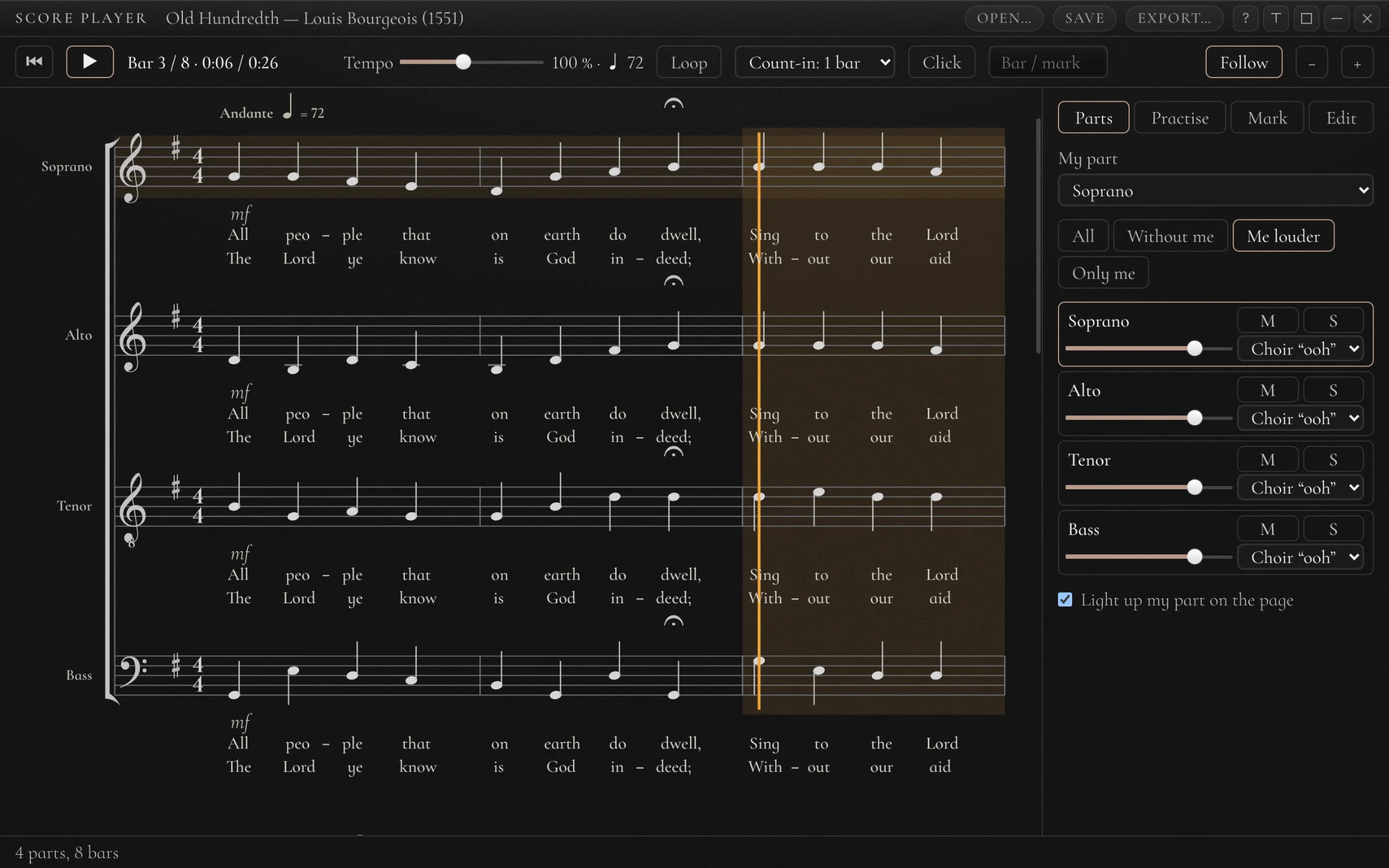
Old Hundredth for choir. My part is the soprano, a little louder than the rest. The cursor follows the music and turns the page.
Every part, engraved
Lyrics and all verses, repeats and endings, D.C. and Fine, changes of key, metre and tempo, and dynamics.
Hear it before you learn it
Piano, choir “ooh”, strings, woodwind, brass, organ or plucked string for each part; tempo from 25 % to 200 %, A–B loop, count-in and click.
My part
All, Without me, Me louder or Only me — and mute, solo and volume for every part.
Practise along
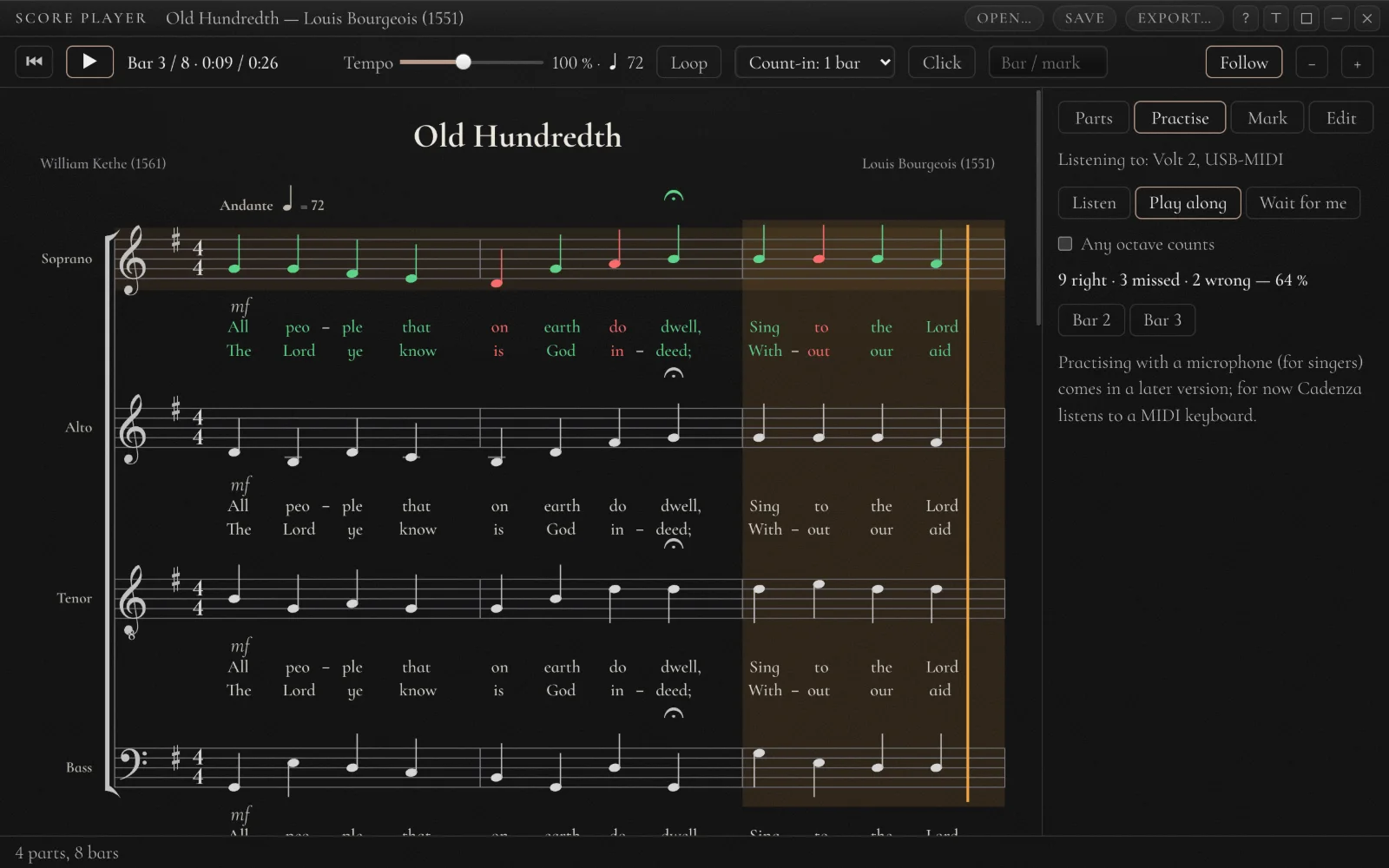
Play your part on a MIDI keyboard: each note is marked right, wrong or missed, with a score and the hardest bars. Wait for me stops until you play.
Mark and edit
Chord symbols, Roman numerals, T–S–D functions, rehearsal marks and highlights; fix wrong notes and transpose. Save writes MusicXML.
From a PDF too
With Audiveris installed (free), Cadenza reads a printed PDF and opens the result for you to check.
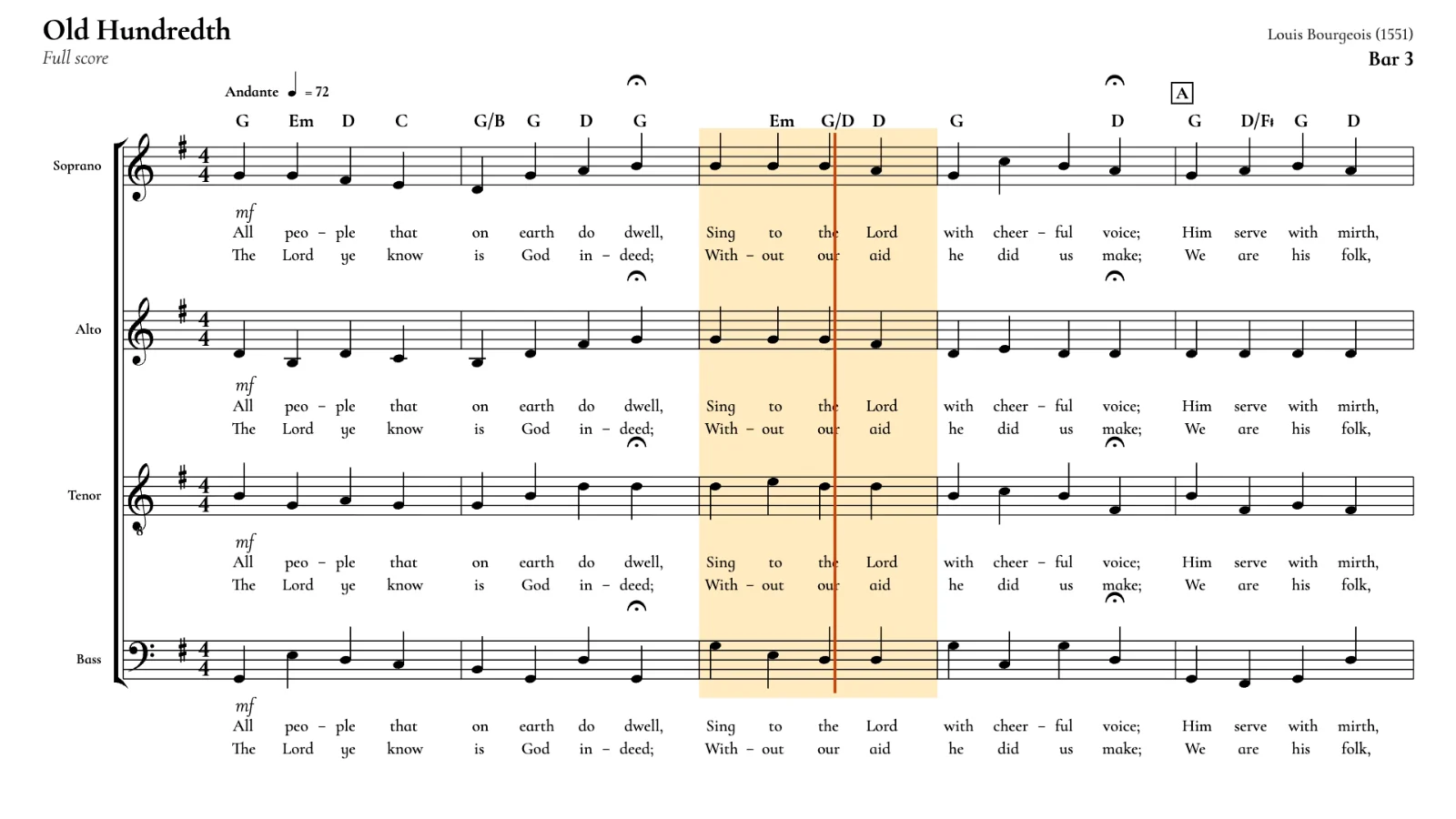
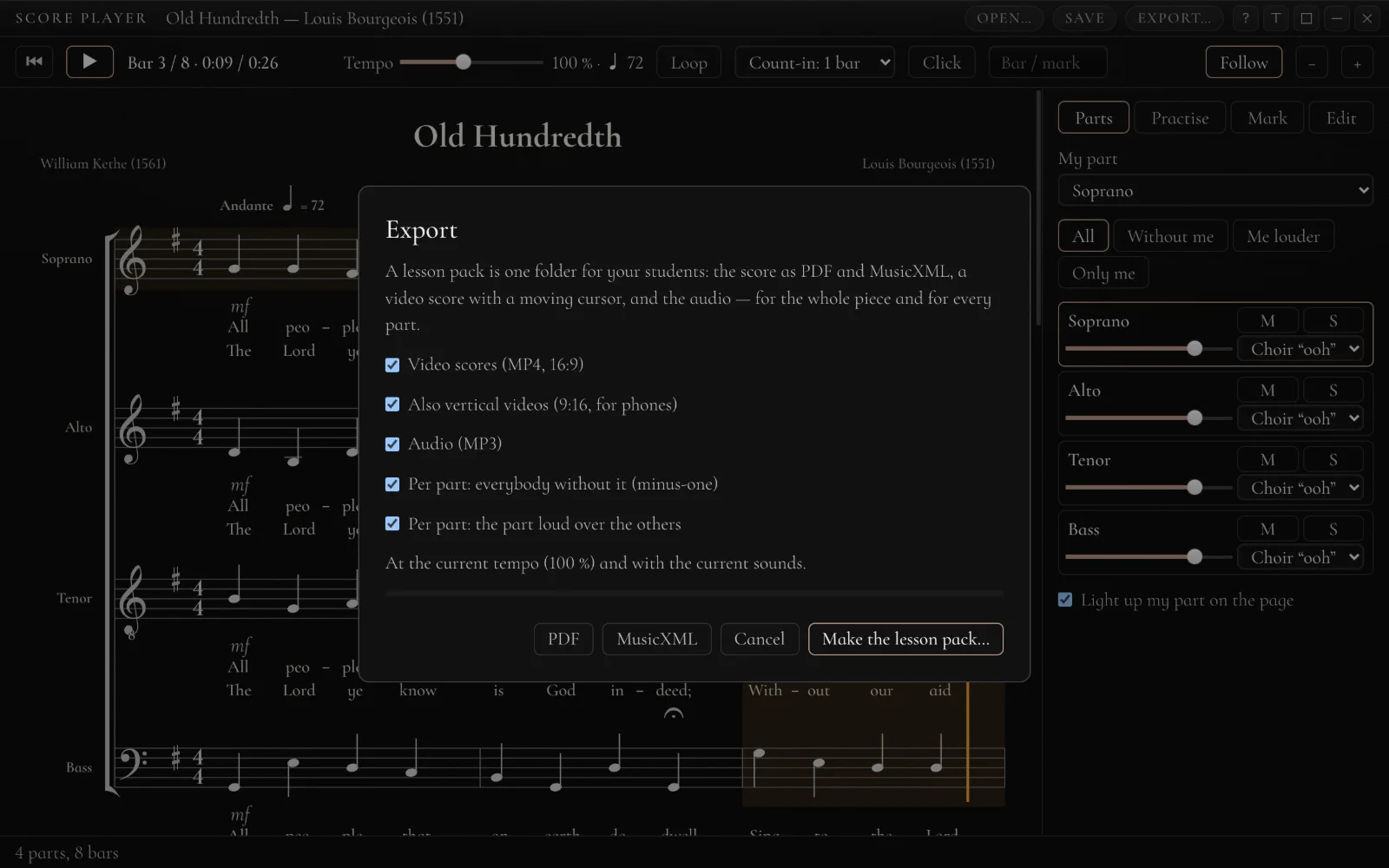
A lesson pack in one click.
One folder for your students: the score as PDF and MusicXML, a video score with a moving cursor, and MP3s — for the full score, and for each part without it and with it louder. Made at the tempo and with the sounds you chose.
A MuseScore file (.mscz) is not read directly: export MusicXML from MuseScore and open that. A MIDI file has no written note values, so Cadenza guesses them and says so.
Your part, with everyone else.
Score Player is part of Full · everything on for 3 days · macOS and Windows